
For players who play SuperCity on Facebook, player profiles operate under specific structural settings. Your name, avatar, and neighbor list are customized directly within the game environment.
Why Profile Information Works This Way
SuperCity uses a dedicated system for managing player names and avatars in the game. According to Facebook's technical requirements, profile information cannot be automatically used or shared outside of Facebook in the traditional manner. Therefore, the game uses independent, customizable profiles rather than automatically syncing your public Facebook profile picture and name.
Managing Your Name and Avatar
Your player avatar always appears first, positioned before all of your friends in the neighbor bar at the bottom of the screen.
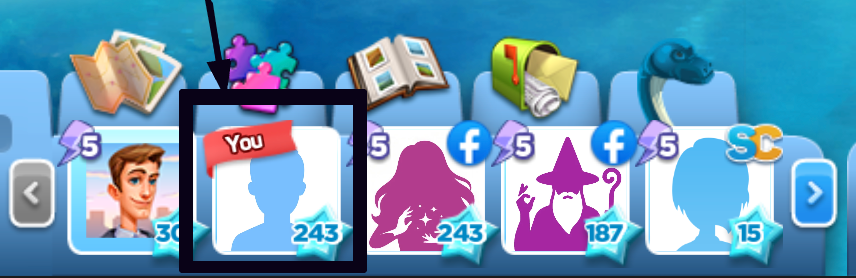
To edit your name or avatar at any time, simply click on your avatar at the bottom of the game screen to open your profile editing window.
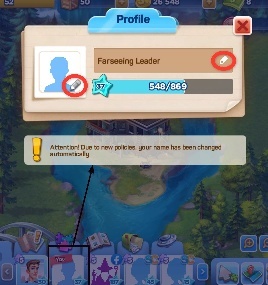
1. Changing Your Avatar
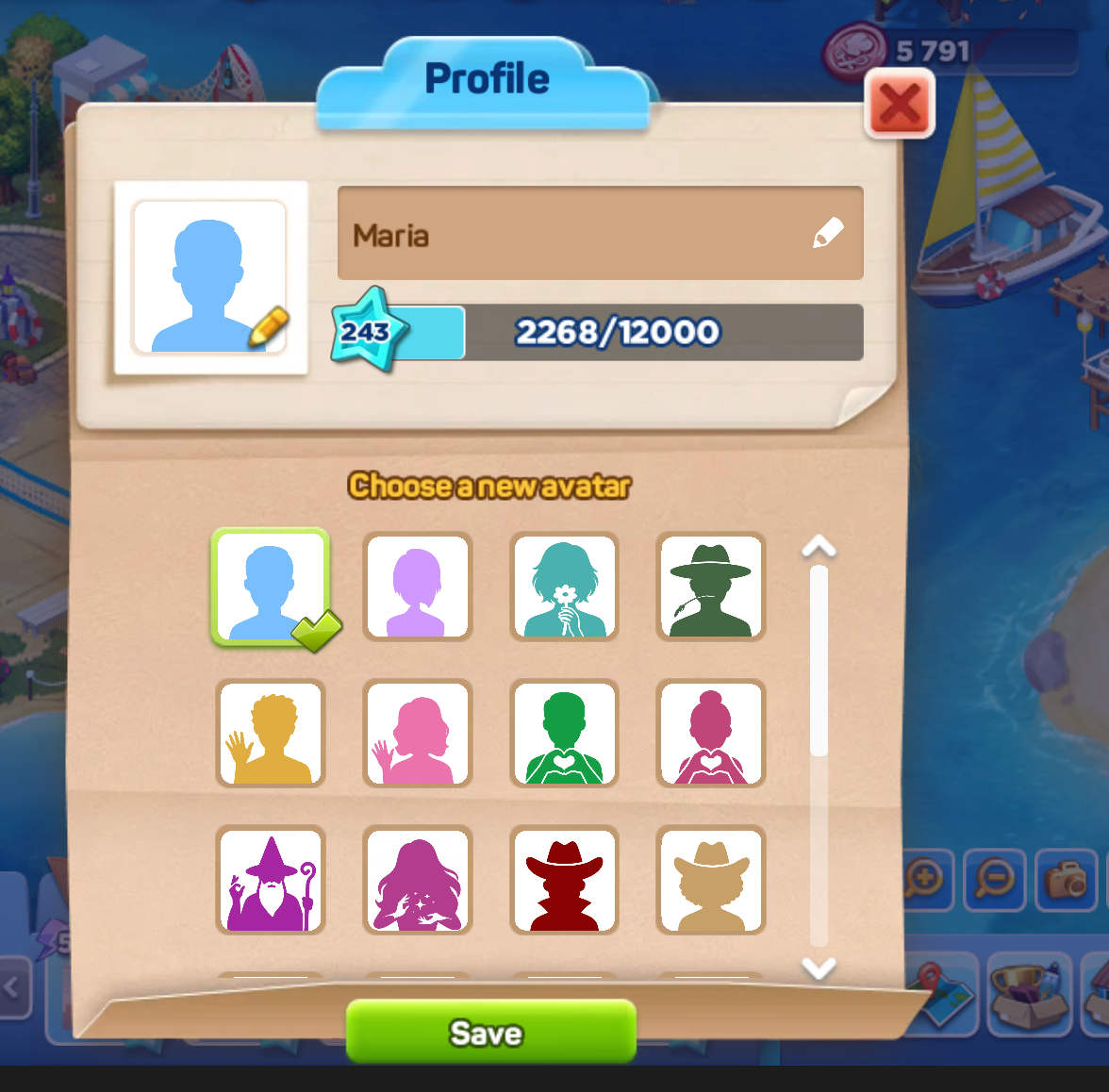
Default State: Your default avatar is a neutral profile image automatically generated by the game instead of your Facebook profile picture.
Customization: You can change your avatar as many times as you like. To do this, open your profile window and choose from the list of ready-made avatars available in the game.
Limitations: It is not possible to use external images for your avatar. You cannot upload pictures from your computer, use images from the internet, or directly display your Facebook profile picture.
2. Changing Your Name
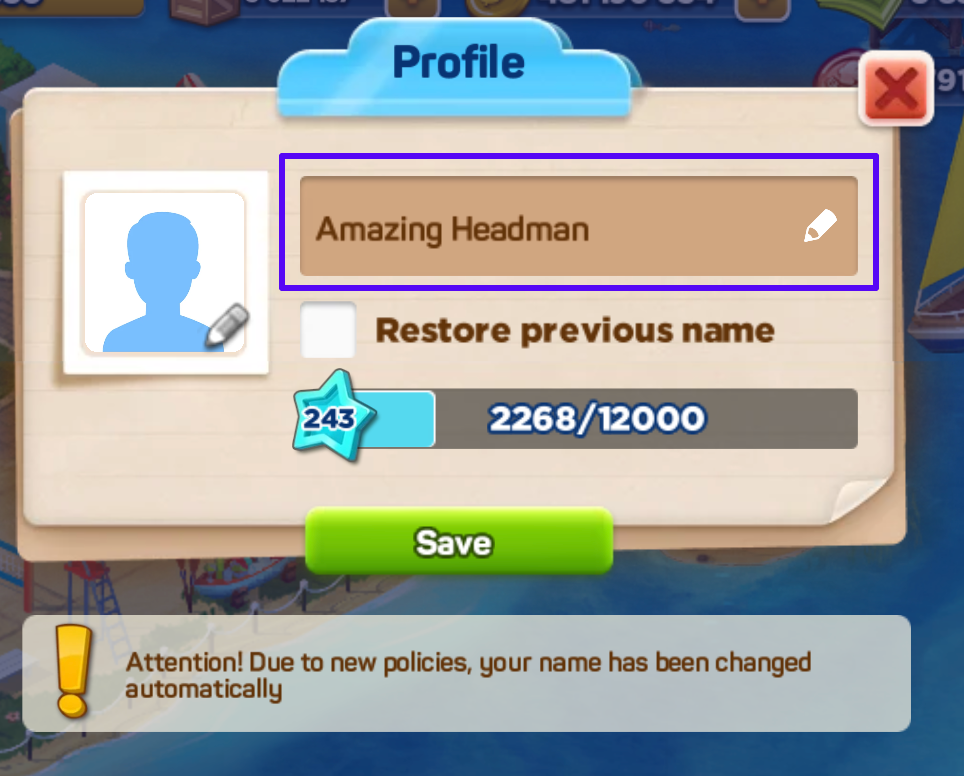
Default State: The game automatically generates an initial name for your profile.
Customization: You can change your game name as many times as you prefer. You can choose to keep the automatically generated name or type a completely new name into the editing window.
Syncing Facebook Name: If you prefer to use your actual Facebook profile name, you can check the box labeled "Restore previous name" in the profile window, and the game will automatically pull that name for you.
Profile Setup Tutorial
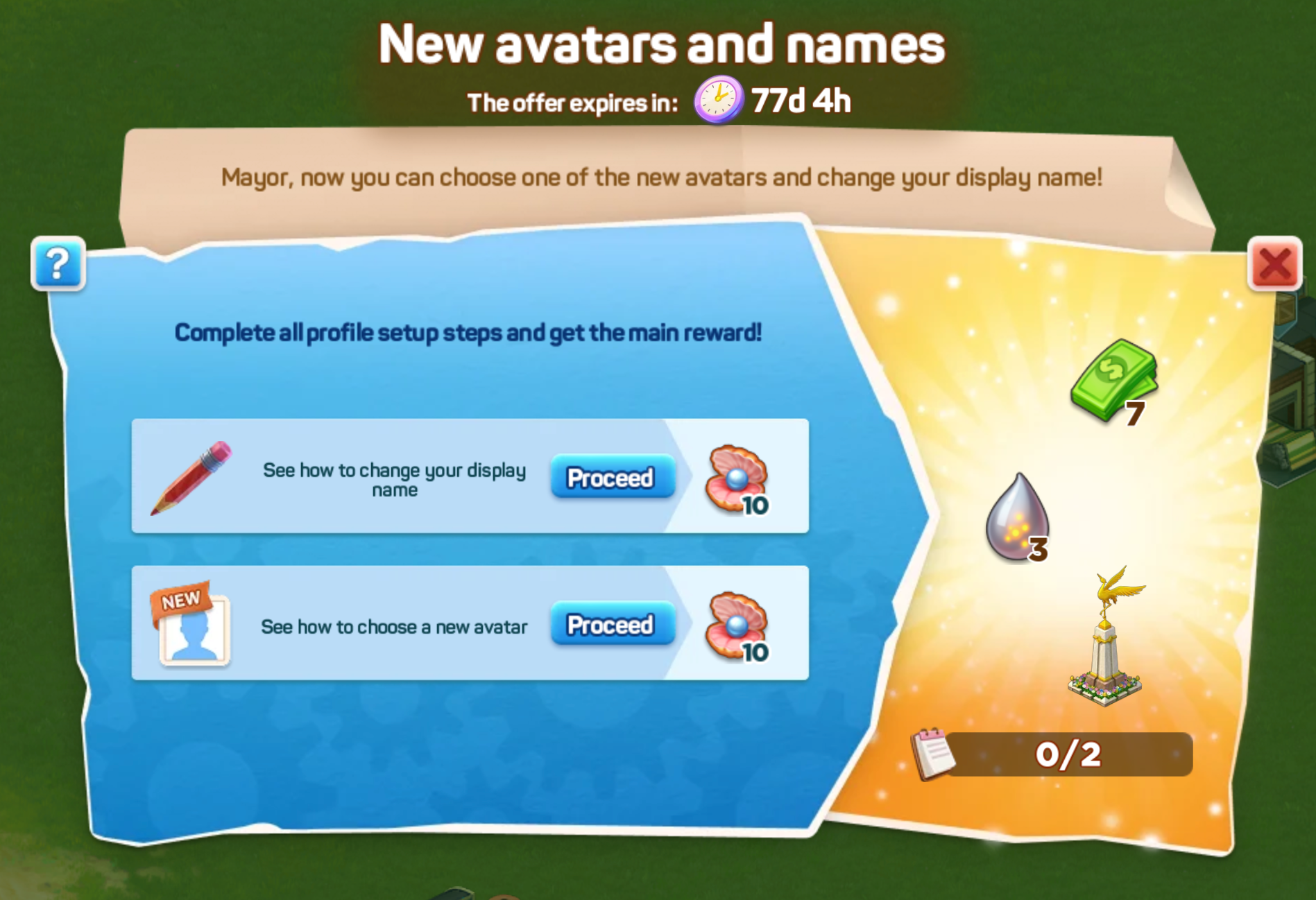
To help you seamlessly navigate these profile features, a special tutorial is integrated into the game.
- This tutorial walks you through the exact steps required to change your player name and choose a new avatar.
- Completing the profile setup steps awards you with helpful bonuses and rewards.
Identifying Your Neighbors
These profile structures apply to all players who access SuperCity through Facebook. As a result, your neighbors will also display automatically generated or custom in-game names and avatars in your neighbor bar.
To easily recognize your friends as they customize their profiles:
- Move your mouse cursor over any neighbor's avatar in the neighbor bar.
- A pop-up will appear displaying both their old name and their new name simultaneously.
This allows you to easily track and locate familiar neighbors while navigating the game.